
Why This Website Exists
Certifications are important. I'm studying for my CompTIA A+, planning Network+ and Security+ after that. I have my Flipper Zero, my home lab, my ThinkPad running Kali Linux. On paper, I'm building the foundation for a cybersecurity career.
But here's what I've learned: employers don't just want to see certificates. They want to see hard work. They want to see experience. They want proof that you can actually do the things you claim to know.
Who cares if you learned it if you don't know how to use and incorporate your skills into real projects?
This website is my answer to that question. It's proof of the thousands of hours I've put into technology and learning. It's a demonstration of how passionate I am when it comes to computers, networks, security, and problem-solving. Every blog post, every project showcase, every line of code on this site represents genuine effort and genuine growth.
I want to stand out. I want to put myself past the competition and show things others don't have. Most people applying for IT and cybersecurity positions have the same certificates, the same generic resumes, the same LinkedIn profiles that all blend together. But how many of them have built something like this? How many of them can point to a live website and say "I built this, here's how it works, here's what I learned"?
Technology isn't just my career path—it's my genuine interest. It always has been. From the moment I figured out how to bypass my parents' router restrictions in high school, to getting my first Flipper Zero, to installing Kali Linux and cracking my own WiFi network, I've been driven by curiosity and a desire to understand how things work. I'm constantly striving to improve, to learn the next thing, to push myself further.
This website is the culmination of that drive. It's a living portfolio that grows with me, documenting my journey from beginner to professional. Every project I complete, every skill I develop, every challenge I overcome—it all goes here. This isn't just a resume. This is my proof of work.
The Technical Journey: Building the Site
The Vision
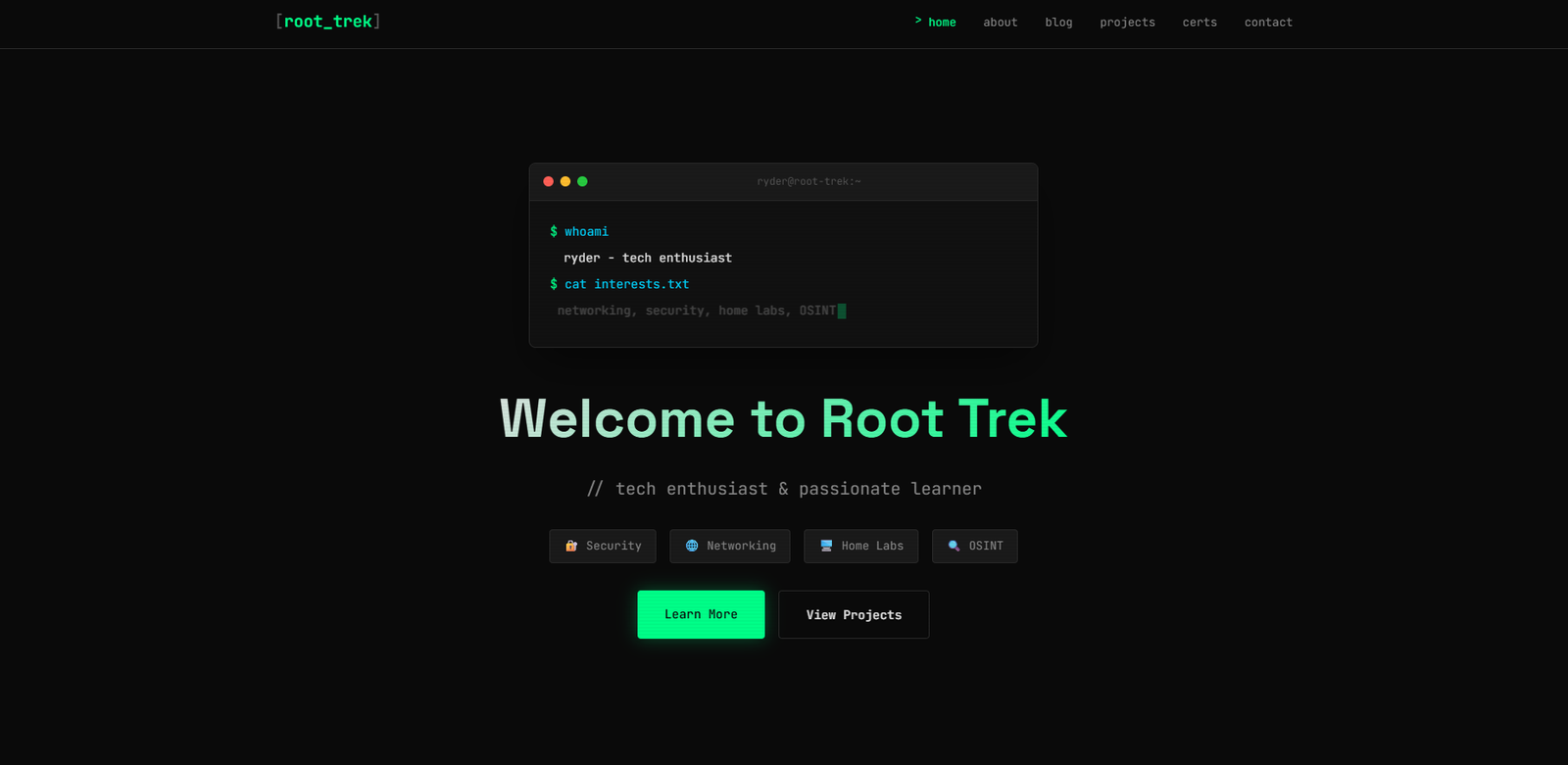
I knew from the start what aesthetic I wanted: dark, minimalist, with a hacker vibe. Not the Hollywood cliché of green text on black backgrounds with random scrolling code, but something that felt authentic to the cybersecurity world while still being professional and readable.
I wanted:
- A dark color scheme - Easy on the eyes, fitting the cybersecurity aesthetic
- Terminal-style elements - Nods to command-line interfaces without being over-the-top
- Matrix rain effects - Subtle, not distracting, just enough to establish the mood
- A hidden "vault" section - Accessible through easter eggs and puzzles, because what's a hacker site without some hidden content?
- Clean, readable blog posts - The design shouldn't get in the way of the content
- Mobile responsive - It needs to work on phones, tablets, everything
The Tech Stack
The site is built using HTML, CSS, and JavaScript—the foundational web technologies. I chose these because I wanted to understand how websites actually work at a fundamental level, not just rely on pre-built templates or content management systems.
For hosting, I went with Hostinger. Affordable, reliable, with good customer support for when things inevitably went wrong.
The site structure:
- Homepage - Introduction, featured projects, recent blog posts
- Blog - All my learning journey posts, project write-ups, and tutorials
- Projects - Showcase of hands-on work (this site itself, home lab, tools, etc.)
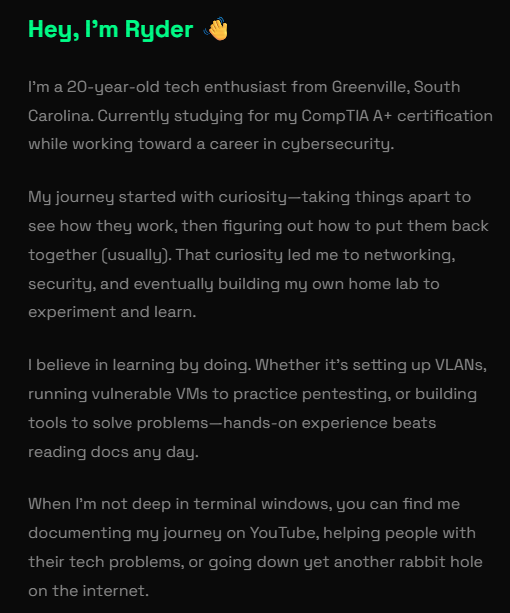
- About - My story, skills, certifications, contact info
- The Vault - Hidden section with exclusive content (you'll have to find the easter egg)
The Reality: Learning to Build with AI
Here's the honest truth: I couldn't code when I started this project. I'd seen HTML before, knew it existed, understood websites were made of code—but actually writing that code? That was completely foreign to me.
This website exists because of AI. Claude and ChatGPT didn't just help me—they were my co-developers, my teachers, and my debugging partners throughout the entire process.
How It Actually Worked
I had the vision. I knew what I wanted the site to look like, how it should function, what features it needed. But translating that vision into actual code? That's where AI came in.
A typical workflow looked like this:
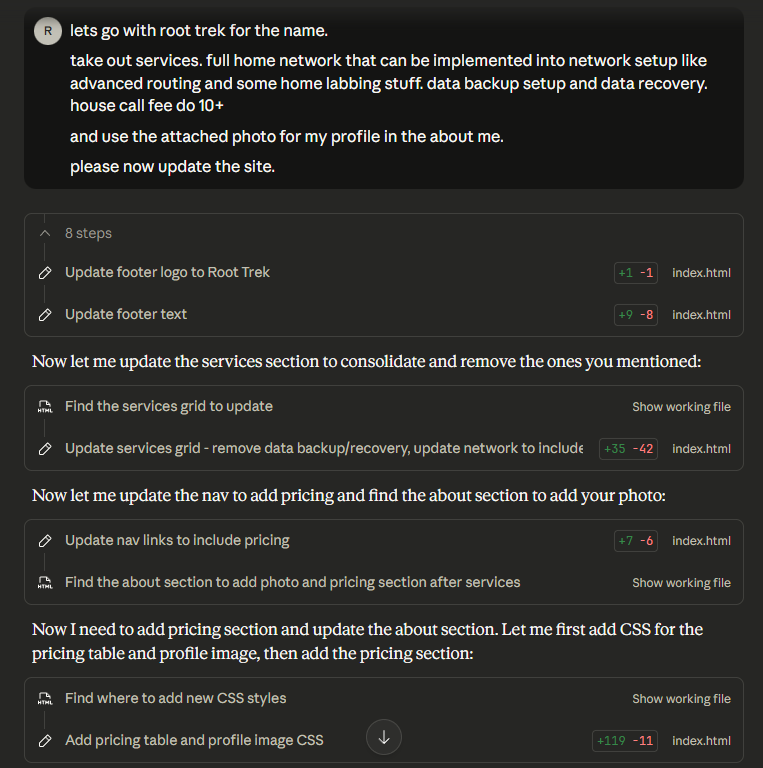
Me: "I want a navigation bar at the top with links to Home, Blog, Projects, and About. It should be dark themed and stick to the top when you scroll."
AI: Provides complete HTML and CSS code for a sticky navbar
Me: Copies the code, creates the files, tests it in browser
The navbar appears, but it doesn't look quite right. The spacing is off, or the colors don't match my vision.
Me: "The navbar looks good but I want the links spaced further apart and the background to be #1a1a1a instead."
AI: Provides the modified CSS
Me: Updates the code, refreshes, checks again
This process repeated for every single feature on the site. AI wrote the code. I provided the direction, tested the results, and requested changes until it matched what I envisioned.
The Learning Curve
Even though AI was writing the code, I wasn't just blindly copying and pasting. I was learning through the process.
When AI gave me CSS code with properties like display: flex; and justify-content: space-between;, I'd ask "What do these actually do?" AI would explain flexbox layout, how it works, why it's better than older methods. I might not be able to write that code from scratch, but I started to recognize it and understand what it was accomplishing.
When JavaScript functions appeared with syntax I didn't understand, I'd ask for explanations. "What's this addEventListener doing?" "Why do we need document.querySelector?" "What's the difference between let and const?"
Each explanation built on the last. I went from knowing nothing to being able to read code and generally understand what it's doing, even if I couldn't write it myself without AI's help.
The Struggles (And How AI Saved Me)
CSS Layout Nightmares
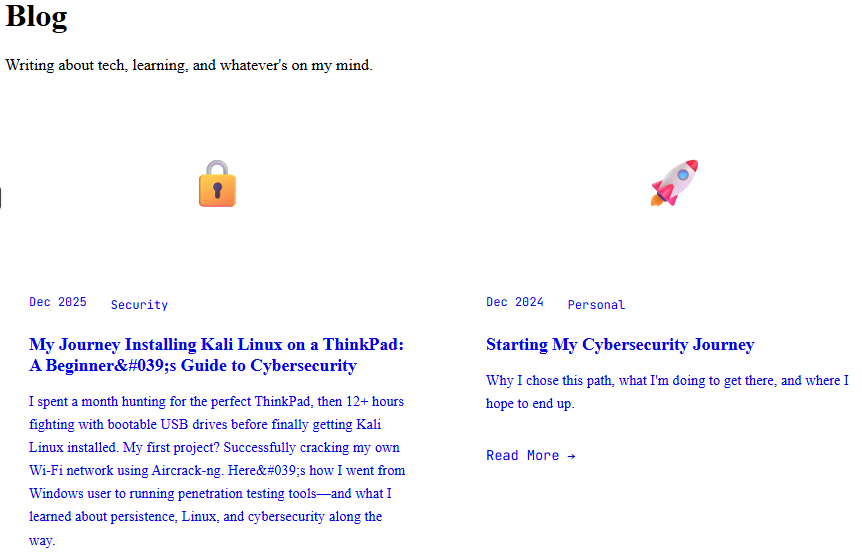
Getting the blog post preview cards to layout correctly was my first major headache. I described what I wanted—three columns on desktop, stacking to one column on mobile, equal heights, proper spacing.
AI provided the code. I implemented it. It looked terrible.
I sent screenshots back to AI: "This is what it looks like. The cards are different heights and the spacing is weird."
AI revised the code, explaining what was wrong (I hadn't set a proper grid template, heights needed to be handled differently). I updated it. Better, but still not right.
This went back and forth maybe five or six times—me testing, sending feedback, AI adjusting the code—until finally it looked exactly how I'd envisioned.
The Matrix Rain Effect
I really wanted that subtle matrix rain background effect. I found some examples online but they were complex JavaScript I had no hope of understanding.
I asked AI: "Can you create a matrix rain effect that runs in the background, doesn't slow down the page, and doesn't interfere with reading the text?"
AI wrote the entire JavaScript file. I copied it, linked it in my HTML, and... it destroyed the site's performance. Everything was lagging.
Back to AI: "This is making everything slow. Can you optimize it?"
AI revised it with performance improvements—reducing the number of characters, optimizing the animation loop, making it less resource-intensive.
Still not perfect. Another round of feedback. Another revision. After three or four iterations, we had a matrix effect that looked cool without destroying usability.
JavaScript Interactive Elements
The blog search functionality, the mobile menu toggle, the easter egg puzzles—all JavaScript I had zero ability to write myself.
For each feature, I'd describe what I needed in plain English:
"I want a search box where users can type keywords and it filters the blog posts in real-time."
AI would provide the complete JavaScript, explain how it works, and I'd implement it. When it didn't work (file paths wrong, filter logic not quite right), I'd describe the problem and AI would debug it.
The mobile hamburger menu took multiple attempts. First version didn't toggle properly. Second version toggled but didn't close when you clicked a link. Third version worked but the animation was choppy. Each time, AI revised the code based on my feedback until it functioned perfectly.
Responsive Design Debugging
Making everything work on mobile was brutal. What looked perfect on my laptop screen would be completely broken on my phone.
I'd take screenshots of the broken mobile layout, send them to AI with descriptions like "The navbar is overlapping the content" or "The blog cards are too wide and breaking out of the screen."
AI would provide media queries and responsive CSS adjustments. I'd implement them, test on multiple devices, find new issues, and report back. This iterative process happened for every section of the site.
What I Actually Contributed
Let me be clear about my role here: I was the creative director, the project manager, and the QA tester. AI was the developer.
I provided:
- The vision and design aesthetic
- Feature requirements and functionality ideas
- Constant testing and feedback
- Design decisions (colors, layouts, spacing, typography)
- Content (all the blog posts, project descriptions, about me section)
- User experience decisions (how navigation should work, where things should go)
AI provided:
- All the actual code (HTML, CSS, JavaScript)
- Technical implementation of features
- Debugging and optimization
- Responsive design solutions
- Best practices and modern approaches
I learned:
- How to read and generally understand HTML/CSS/JavaScript
- How websites are structured and organized
- What's possible with web technologies
- How to communicate technical requirements clearly
- How to test and identify issues
- How to work iteratively on a technical project
The Honest Assessment
Could I build another website from scratch without AI? No. Not even close.
Could I modify this website, fix minor issues, update content, and make small changes? Yes, because I understand the structure and can work with AI to make those changes.
Could I clearly articulate what I want from a website and work with a developer (human or AI) to make it happen? Absolutely. That's what I did here.
I didn't learn to code in the traditional sense. I learned to build with AI. And in 2025, that's a genuinely valuable skill. Most people who need websites don't need to write code from scratch—they need to know how to leverage tools (including AI) to create what they envision.
What Worked
Clear communication with AI - The more specific I was about what I wanted, the better the results. "Make it look nice" got mediocre results. "Use #1a1a1a for the background, #00ff00 for accent colors, and ensure 20px padding around all content sections" got exactly what I needed.
Iterative refinement - I didn't expect perfection on the first try. Build something, test it, give feedback, revise. Repeat until it's right.
Learning through questions - Every time AI gave me code, I'd ask about parts I didn't understand. This built my knowledge incrementally.
Testing thoroughly - I checked the site on my laptop, phone, tablet, different browsers. Each round of testing revealed issues AI could fix.
Combining sources - Sometimes I'd find a feature I liked on another site, screenshot it, and ask AI to recreate something similar. Other times I'd describe functionality from scratch.
What Didn't Work
Trying to code myself - Early on, I tried to modify AI's code on my own. I'd break things, create syntax errors, and have no idea how to fix it. I learned to let AI handle the code and I'd handle the direction.
Vague requests - "Make the site better looking" didn't help AI help me. Specific requests about exact changes got better results.
Implementing everything at once - When I tried to add five features simultaneously, it became impossible to debug which one was causing problems. One feature at a time worked better.
Not backing up - I lost an entire evening's work once because I overwrote a file without saving the previous version. After that, I started keeping backups of working versions before making major changes.
Expecting AI to read my mind - I had to learn to describe exactly what I wanted. AI is smart, but it can't know my aesthetic preferences or functional requirements without me articulating them clearly.
The Result: What I've Built
The site is live. It works. It represents exactly what I envisioned. And most importantly, it proves something crucial: you don't need to be a professional developer to build something real in 2025.
Every visitor who lands on this site sees:
- My vision executed - The design, layout, and functionality I imagined brought to life
- My learning journey - Blog posts documenting real projects, real struggles, real growth
- My ability to manage technical projects - From concept through deployment
- My communication skills - Clear writing and the ability to articulate technical ideas
- My resourcefulness - Using AI effectively to overcome knowledge gaps
This website proves I can:
- Clearly articulate technical requirements and goals
- Work iteratively to achieve desired outcomes
- Test, identify issues, and communicate problems effectively
- Manage a project from concept to completion
- Leverage modern tools (including AI) to build real solutions
- Learn new concepts and apply them practically
- Commit to long-term goals and follow through
Here's what's important: In the real world, nobody cares if you typed every line of code yourself. They care if you can deliver results. Can you take a problem, figure out a solution, and ship something that works? That's what matters.
I used AI to build this site the same way a carpenter uses power tools instead of hand tools. The end result is what counts, and the skill is knowing how to use the tools effectively.
The Pride
I'm genuinely proud of what I've built here—not in spite of using AI, but because I used it effectively.
When I started this project, I had zero web development skills. Now I have a live website that looks professional, functions smoothly, and represents my work in cybersecurity and IT. That transformation didn't happen by accident. It happened because I:
- Had a clear vision and refused to compromise on it
- Learned how to communicate technical requirements clearly
- Tested relentlessly and provided detailed feedback
- Iterated through problems until they were solved
- Pushed through frustration when things didn't work
- Committed hundreds of hours to this project
Yes, AI wrote the code. But I directed every aspect of what that code needed to accomplish. I made every design decision. I tested every feature. I wrote every word of content. This is my website, built with AI as my tool.
The traditional gatekeeping around web development—"you're not a real developer unless you can write everything from scratch"—is becoming obsolete. We're entering an era where your ability to leverage tools, including AI, is just as valuable as traditional coding skills. Maybe more valuable.
When I apply for jobs in IT and cybersecurity, this website demonstrates:
- Project management - I can see a project through from start to finish
- Problem-solving - I can identify issues and find solutions
- Technical communication - I can articulate what I need clearly
- Adaptability - I can learn new tools and technologies as needed
- Results orientation - I deliver functional, professional outcomes
Those are the skills that matter in the real world.
What's Next
This site will continue to evolve. I'm constantly adding new blog posts, documenting new projects, and refining features. The vault section will grow. The easter eggs will get more complex. As I learn and grow in cybersecurity, this site grows with me.
Future additions I'm planning:
- Interactive demos - Live demonstrations of security concepts
- CTF write-ups - When I start competing in Capture The Flag events
- Tool showcases - Detailed breakdowns of security tools
- Video integration - Embedding my YouTube content
- More advanced features - As I learn (with AI's help) what's possible
And here's the thing: every new feature will be built the same way this site was built. I'll have an idea, I'll work with AI to implement it, I'll test and refine it until it's exactly what I want. That's not a limitation—that's a workflow.
The Message
If you're reading this and thinking "I want to build something but I don't know how to code," here's what I want you to understand:
You don't need to know how to code to build something anymore.
You need to know what you want to build. You need to be able to communicate that clearly. You need to be willing to test, iterate, and refine. You need to commit the time and effort. But the actual coding? AI can handle that if you learn to work with it effectively.
This doesn't make you less legitimate. It makes you smart. You're using the best tools available in 2025 to achieve your goals.
Will I eventually learn to code without AI? Maybe. It could be valuable. But right now, my focus is on cybersecurity, on penetration testing, on understanding networks and security systems. Web development is a tool to showcase that work, not my primary skill set. And that's okay.
The traditional path—spend months learning to code, then months building a site, then finally start showcasing your actual work—doesn't make sense when you can build with AI in weeks and get straight to demonstrating your real skills.
This website exists. It works. It represents me and my work professionally. That's what matters.
Technology is evolving rapidly. The skills that matter are evolving too. Five years ago, "working effectively with AI" wasn't a valuable skill because the technology didn't exist. Now it's crucial. Being able to leverage AI to build, create, and solve problems is a genuine competitive advantage.
I'm proud of this website not because I typed every character myself, but because I had the vision, persistence, and resourcefulness to make it real. That's the skill that'll serve me throughout my entire career in technology.
Tech Stack:
- HTML5, CSS3, JavaScript (ES6+)
- Hosted on Hostinger
- Version controlled with Git
- Responsive design with mobile-first approach
- Custom matrix rain effect
- JSON-based blog system
Development Time: ~100+ hours spread over several weeks
Lines of Code: ~3,000+ (and counting)
Bugs Fixed: Too many to count
Lessons Learned: Countless
Want to see the site in action? You're already here. Want to know how I built a specific feature? Drop me a message—I'm always happy to talk code and share what I've learned.